
Ever wondered what your family would look like as a piece of artwork?
Creating your own family tree with ChatGPT is easier than you might think. You don’t need to know how to write complicated prompts — simply tell it who’s in your family, how they’re related and the sort of style you’d like.
To show you what we mean, we’ve created one fictional family and used exactly the same family relationships to make three very different designs.
Meet Our Example Family
Before we choose a style, we need to tell ChatGPT about our family. We’ve made up a fictional family for this guide, with four generations and a mixture of couples and individual parents.
Margaret and George are the grandparents.
They have three children.
Helen is married to David. Their children are Sophie, a girl, and Jack, a boy. Sophie has two children, Mia, a girl, and Noah, a boy.
Peter has two children, Emily, a girl, and Oliver, a boy.
Joanne is married to Chris. Their children are Lucy, a girl, Ben, a boy, and Sam, a boy.
Your family doesn’t have to look like ours, Include whoever belongs in your family and simply explain how everyone is related. You can include partners, leave them out, have one grandparent or two, and add as many generations as you need.
You don’t have to include gender either. We’ve included it here simply because we’re going to use it as part of the colour scheme in our first design.
Before You Create Your First Image
If you’re using the free version of ChatGPT, image generation is limited, so it’s worth getting your family information right before asking it to create the artwork.
Check that you’ve included everyone you want, that the relationships are correct and, if it matters to your design, details such as gender or preferred colours. You can discuss and refine your idea with ChatGPT first, then ask it to create the image when you’re happy with the information.
Don’t worry if the first image isn’t perfect. As you’ll see below, you can ask for changes — but getting the important details right at the start can save unnecessary image generations.
A Whimsical Family Tree
For our first design, we’re going for something colourful and whimsical. Because we included gender in our family description, we’re going to use shades of pink and blue to help bring the names into the design.
What we asked ChatGPT
Using the family information above, create a whimsical family tree design suitable for printing on a black T-shirt. Use shades of pink for the female names and shades of blue for the male names. Make the names an important part of the tree, with decorative branches, leaves, hearts and small whimsical details flowing around them. Keep the design balanced and make sure every family member is included and spelt correctly.
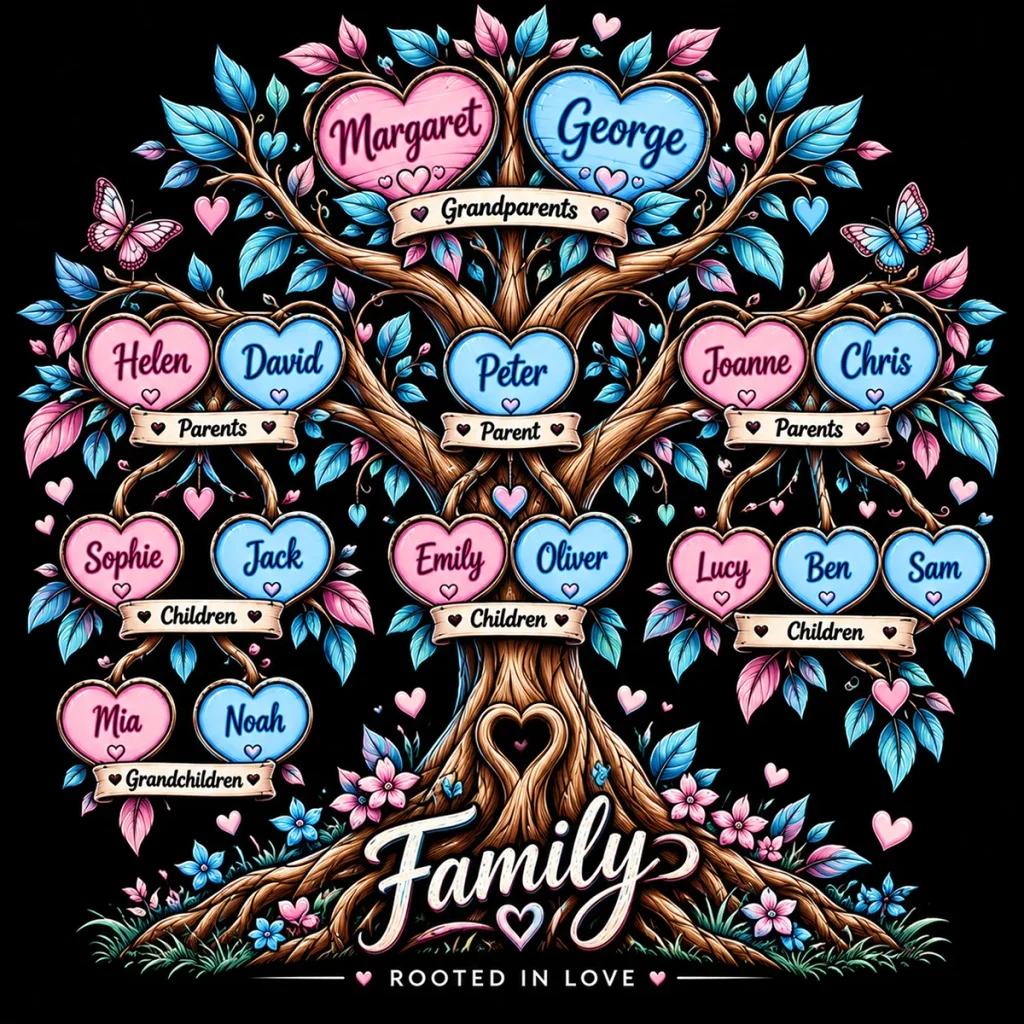
The first result was colourful and fun, but we thought the relationship labels made it a little too busy. So rather than starting again, we simply asked ChatGPT to remove them.
Please remove the relationship labels such as Grandparents, Parents, Children and Grandchildren, but keep the family names, relationships and the rest of the design the same.
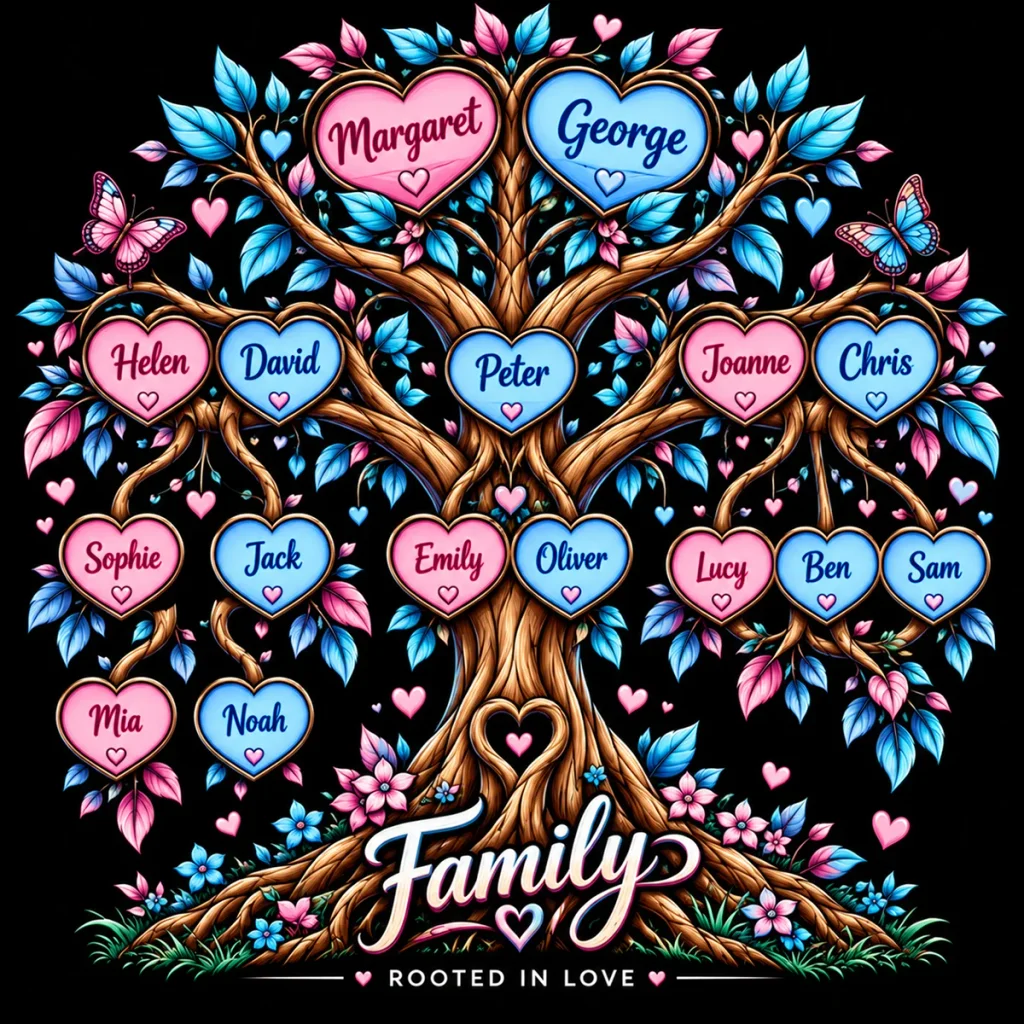
That’s better! You don’t need to start again if the first result isn’t quite right. Simply tell ChatGPT what you’d like changed and keep refining the design until you’re happy with it.
A Family Subway Map
Now let’s take exactly the same family and do something completely different. We don’t need to type all those names and relationships again — ChatGPT already has them from earlier in the conversation.
Using exactly the same family members and relationships, create a family tree in the style of a traditional subway map. Give each of Margaret and George’s three children’s family branches its own colour, using stations and connecting lines to show how everyone is related. Keep it clean, bold and easy to read, and make the design suitable for printing on a white T-shirt.
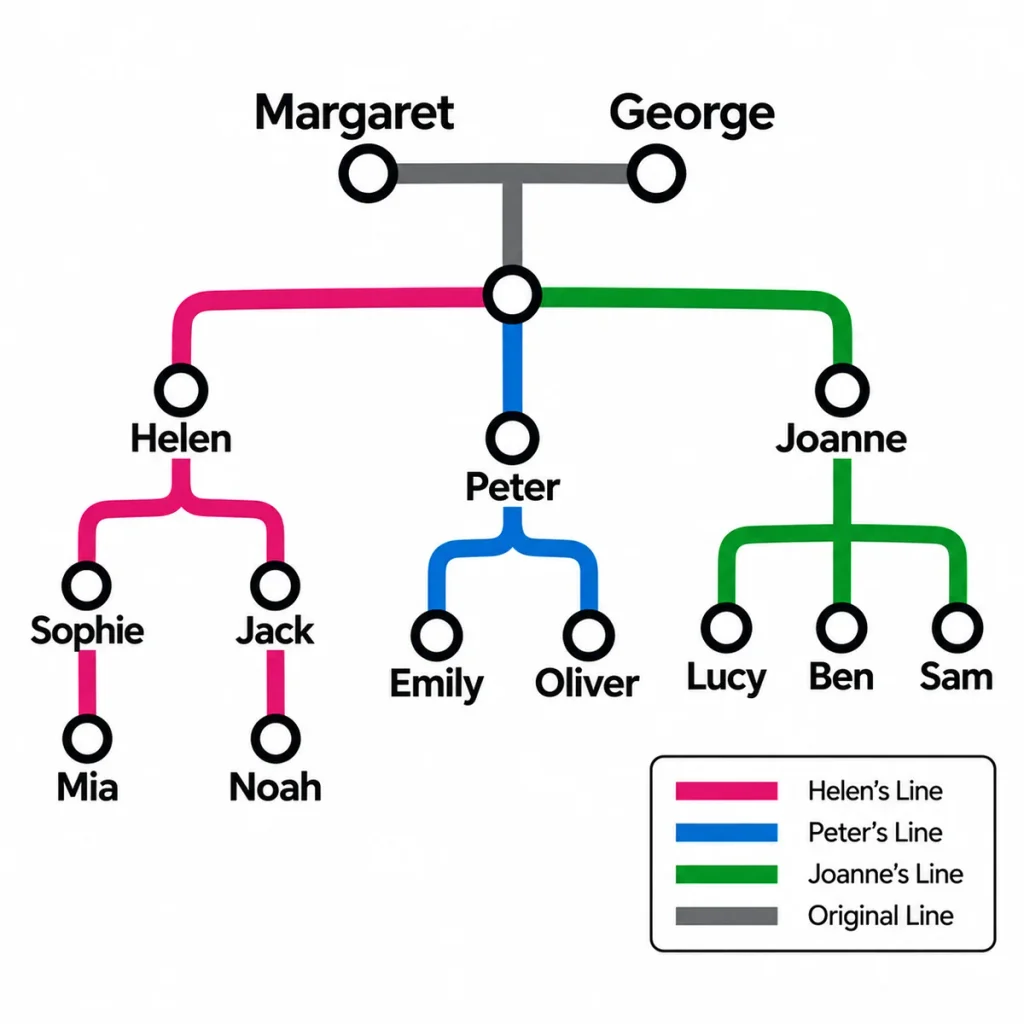
Sometimes less is more. Our first subway version looked a little too much like a typical AI-generated design, with extra wording and decorative elements we hadn’t asked for. We simply asked ChatGPT to remove the extras and keep it looking like a traditional subway map.
A Family Christmas Card
For our final example, let’s use exactly the same family information again — but this time we’re not creating artwork for a T-shirt. Let’s turn our family tree into something that could become a personalised Christmas card.
What we asked ChatGPT
Using exactly the same family members and relationships, create a photorealistic Christmas card featuring a beautifully decorated Christmas tree in a warm, cosy festive setting. Give each family member their own personalised Christmas bauble with their name clearly written on it, and arrange the baubles so the different generations and family branches make sense. Keep the design elegant and realistic rather than cartoon-like, with space for the words “Merry Christmas from our family to yours”.
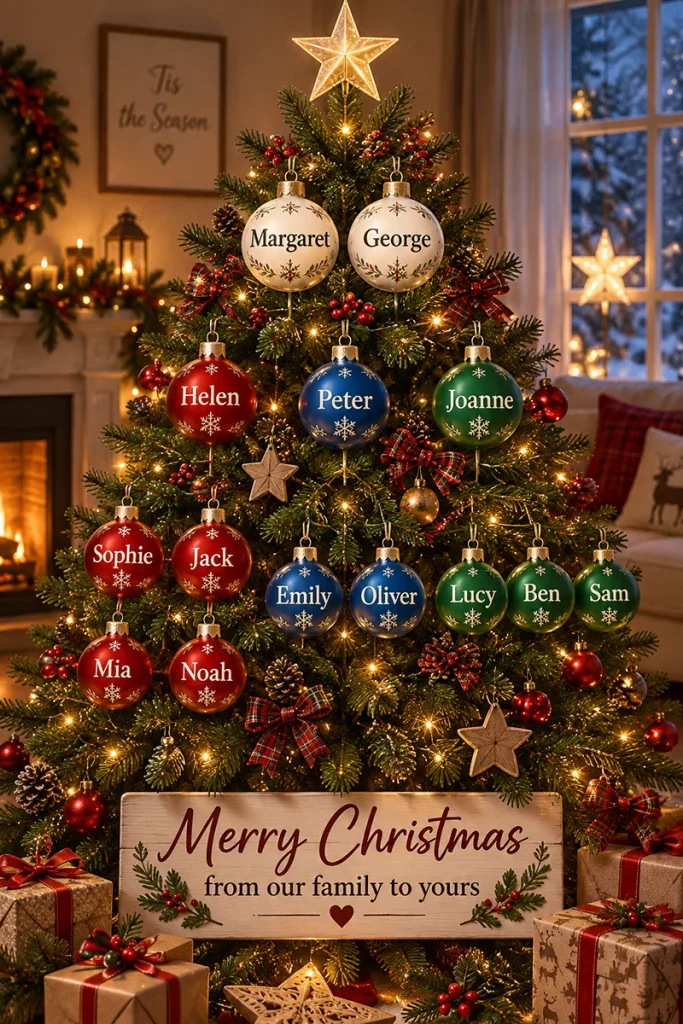
Same family, completely different result. We haven’t changed the names or relationships — only what we asked ChatGPT to create. Once you’ve described your family, you can keep experimenting with different ideas and styles until you find something you love.
Made Something You Love?
Hopefully we’ve given you a few ideas to try for yourself. Your design doesn’t have to be a family tree — once you start experimenting, you might be surprised where your ideas take you.
If you create something you’d like to turn into a real product, Crazy Raindrops can help. We can print your design onto T-shirts, hoodies, tote bags and other personalised products, and we can also help with those final little tweaks that can make a design work better when it’s printed.
Sharing Your Design With Us
For the best results, send us your ChatGPT Share link rather than just a screenshot. This lets us see the design and the conversation that created it, making it much easier for us to understand what you’re trying to achieve and help with any final changes.
You can send your link by email to artwork@crazyraindrops.co.uk or send it to us on WhatsApp: 07401 649048.
Of course, if you already have your finished artwork, you can send that instead.
You bring the idea. We’ll help you turn it into something you can hold, wear or give.
The family used in this guide is fictional and was created purely to demonstrate the process.